Nodes, edges and groups
A flowchart is made of three things:
- Nodes: the steps, decisions and records, each drawn as a shape.
- Edges: the lines between nodes.
- Groups: boxes that hold related nodes.
Node shapes
Each node has a shape. These are the ones most diagrams use:
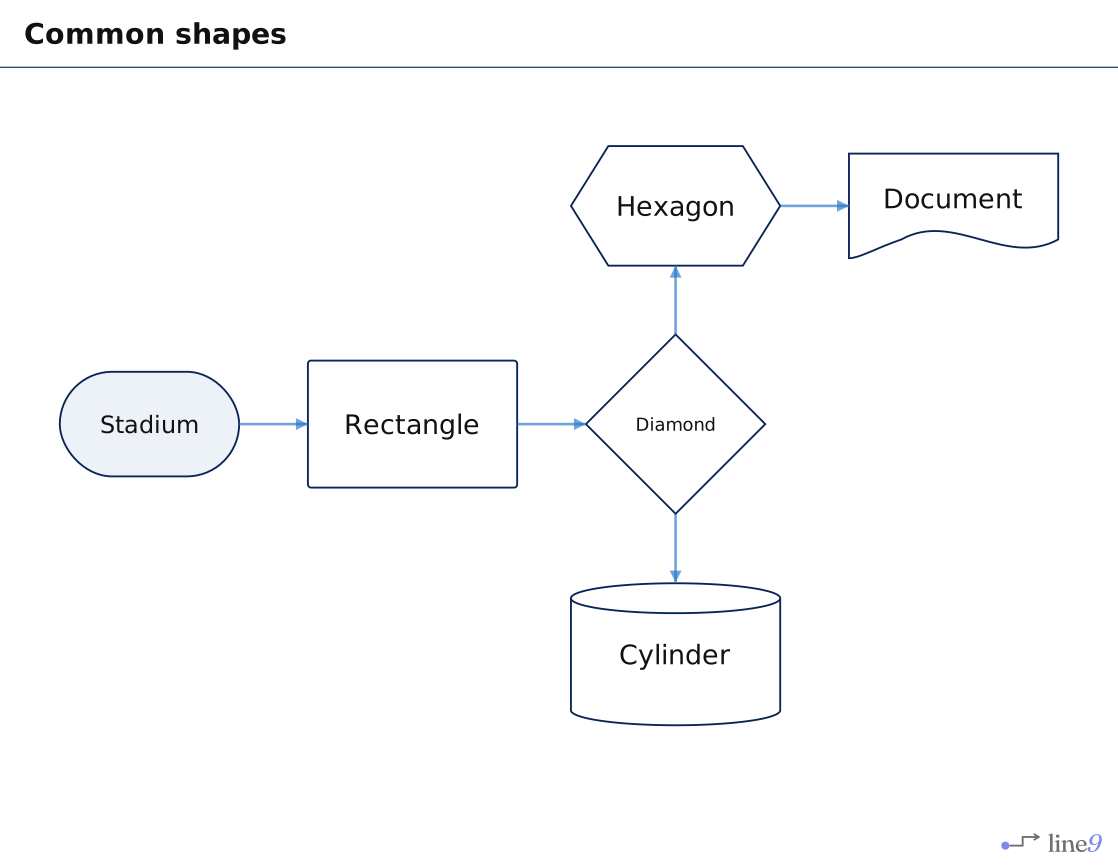
| Shape | Usually means | Text |
|---|---|---|
| Stadium | A start or an end | start(["Claim received"]) |
| Rectangle | A step | check["Check receipts"] |
| Diamond | A decision | limit{"Over £500?"} |
| Hexagon | A preparation step | prep{{"Prepare the batch"}} |
| Cylinder | A database | ledger[("Ledger")] |
| Document | A document | policy["Policy"]@{ shape: doc } |
The word before the brackets is the node’s id: a short name that edges use to point to the node. It doesn’t show in the diagram. The text in quotes is its label, which shows on the node.
With Line9 Pro, in the Line9 editor, type :shape and choose from every shape, with a picture of each. The editor reference lists them all.
Edges and line styles
An edge joins two nodes by their ids.
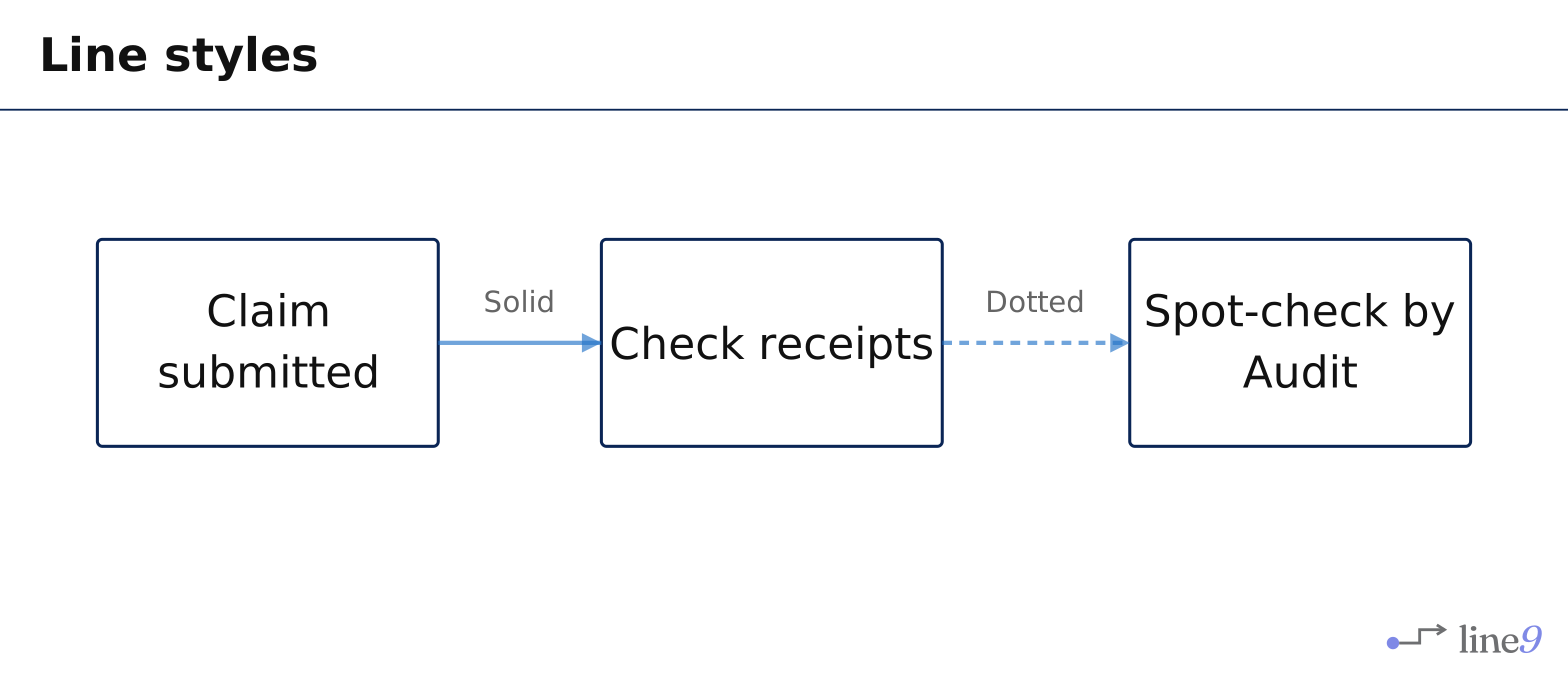
| Line | Text |
|---|---|
| Solid | claim --> check |
| Dotted | check -.-> audit |
| Thick | claim ==> check |
To label an edge, put the label between bars:
claim -->|"Solid"| checkWith Line9 Pro, in the Line9 editor, press > and move to the other node to connect two nodes, and type :line to change the line.
Groups
A group draws a box around related nodes, with a title. Use groups for teams, systems or stages.
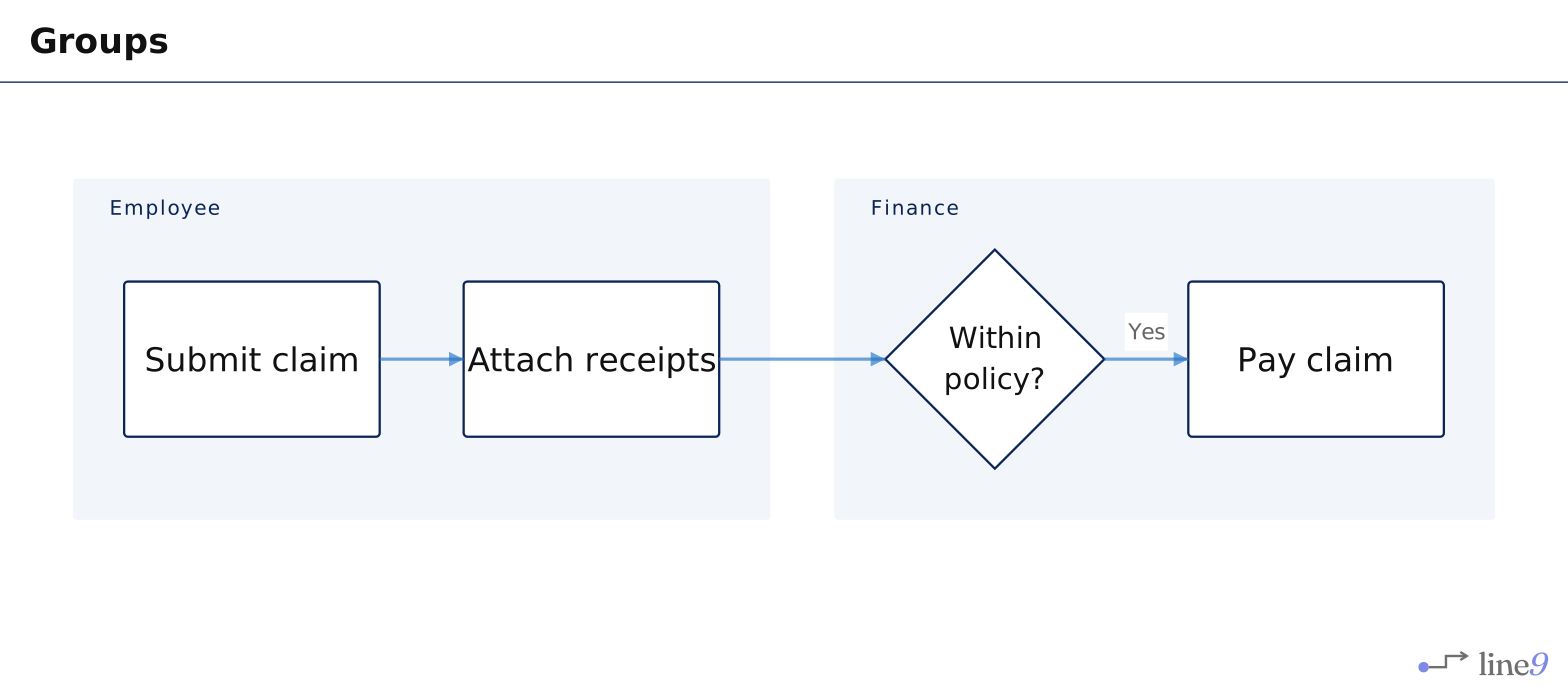
flowchart LR
  subgraph finance["Finance"]
    policy{"Within policy?"}
    pay["Pay claim"]
  end
A group can sit inside another group. Each node belongs to one group at most.
With Line9 Pro, in the Line9 editor, select the nodes and type :group and the title of an existing group, or a new title.
Colours and the legend
To colour nodes, edges or groups by role, give them a class. Line9 picks the colours and explains them in a legend. See Colour-code with classes.
Next
- Comments and text blocks: add notes beside the diagram.
- Colour-code with classes: colour nodes by role.