Line9 for Mermaid users
What’s the same
Line9 reads Mermaid text as it is: you don’t learn a new syntax, and your text stays standard Mermaid. It still works in GitHub, GitLab and anywhere else that shows Mermaid.
Line9 lays out flowcharts and sequence diagrams itself. Other kinds, such as pie charts, Gantt charts and class diagrams, are drawn by Mermaid and marked Mermaid.
What’s different
Line9 places nodes and draws edges with its own layout engine, not Mermaid’s. It also draws them differently:
| In Mermaid | In Line9 |
|---|---|
classDef, style and linkStyle set colours | The theme sets the colours. Only the class name matters. See Colour-code with classes. |
| A node grows to fit its label | Each shape has a fixed size. A long label wraps, then gets smaller, then is cut off. |
direction inside a subgraph sets which way that subgraph runs | The whole diagram runs one way, set in its first line, such as flowchart LR. |
| Labels can be Markdown, in backticks | Labels are plain text. <b>, <i>, <u>, <s> and <br> work, and so do HTML entities. |
| Any number of nodes | Line9 lays out up to 100 nodes. Mermaid draws larger flowcharts. |
The title: at the top of the text becomes a title across the top of the diagram.
Why can’t I place a node?
Line9 places every node and edge for you, so a diagram stays readable as it changes. There is no way to drag a node or fix its position.
To change how a diagram is laid out:
- switch its orientation, spacing or node size in the style panel. See Theme, orientation and spacing.
- change what it says: fewer steps, or several smaller diagrams instead of one large one.
What does the line9: block do?
It keeps Line9’s settings in the text, such as the theme:
---
title: Expense approval
line9:
  theme: linen
---
Line9 adds it when you change a setting. Mermaid and other tools leave it alone. See What Line9 writes into the text.
Will Line9 change my Mermaid file?
Not unless you ask it to:
- On the diagram page, Line9 changes the text when you change a style setting, edit the text, or leave the Line9 editor. Your file stays as it was until you save the text back to it.
line9 renderonly reads the file.line9 publishandline9 pulladd aline9:block that records which published diagram the file belongs to.
A style setting changes only the line9: block and the flowchart line. When you leave the Line9 editor, Line9 writes the text again and keeps only what it draws: classDef, style, linkStyle, click and %% comments are removed. A note at the top of the text says so.
How do I compare Line9 with Mermaid?
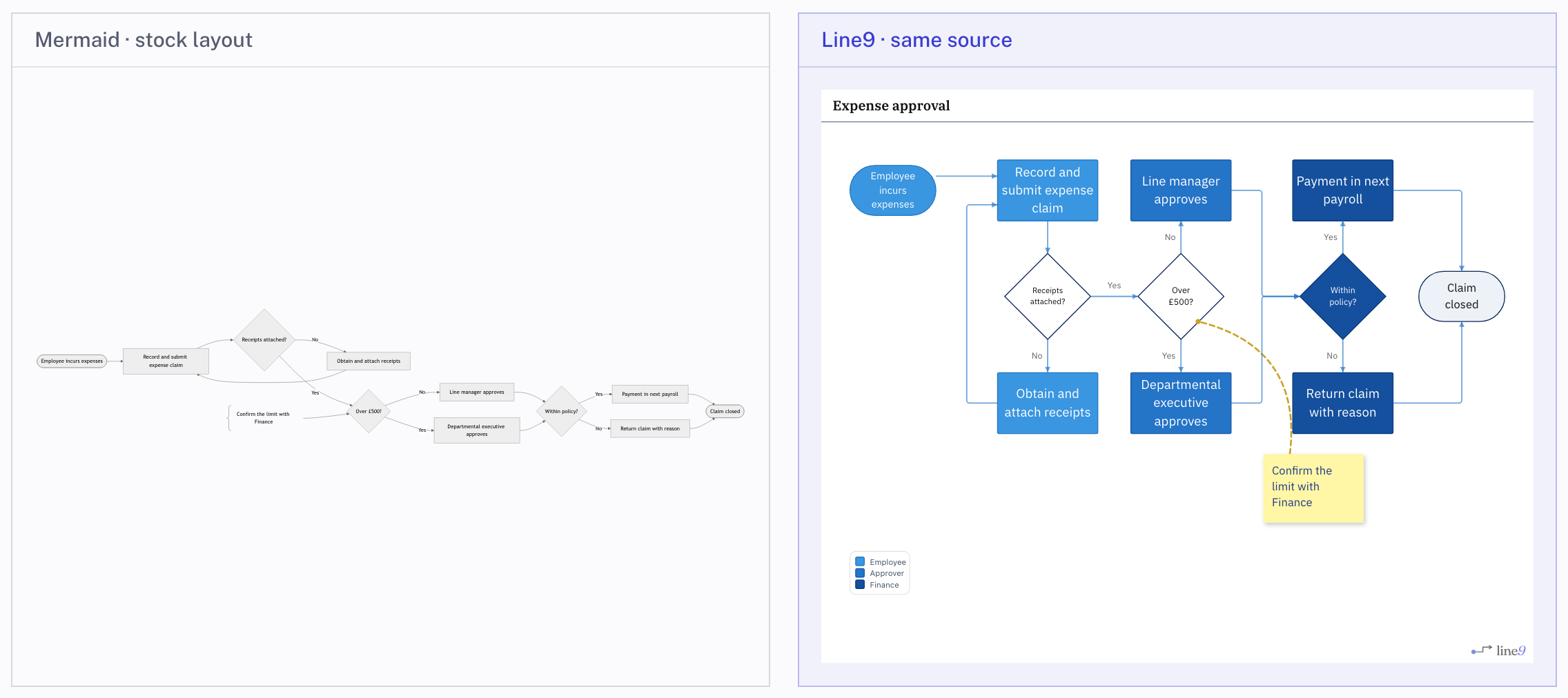
Open a flowchart on the diagram page and choose Diagram ▸ Compare with Mermaid from the menu. The same text appears drawn both ways, side by side:
Next
- Edit the diagram’s text: what Line9 reads and writes.
- Nodes, edges and groups: the parts of a flowchart.