How to align nodes in a Mermaid flowchart
When creating your diagram you want the meaningful relationships between nodes to be made clear. Sometimes this means you want a layout that places sibling nodes on the same row (in a top-to-bottom flowchart) or the same column (in a left-to-right one). Is this possible with Mermaid flowcharts? How can you achieve what you want?
Align nodes horizontally: same row, same level, same rank
This issue was raised on the mermaid-js GitHub repository as Support specifying that two nodes should be at the same level/rank (issue #3723). The user wanted b and c on one level but four years later (Mermaid 11.15.0) the issue is still open and unresolved.
Stock Mermaid breaks the b↔c cycle and drops c to a rank below b. Ranks are assigned by the engine; Mermaid
has no rank=same or other syntax that reliably
determines the specific positions of nodes. Read more about what the engine decides.
graph TD
a --> b & c
b --> d & c
c --> e & b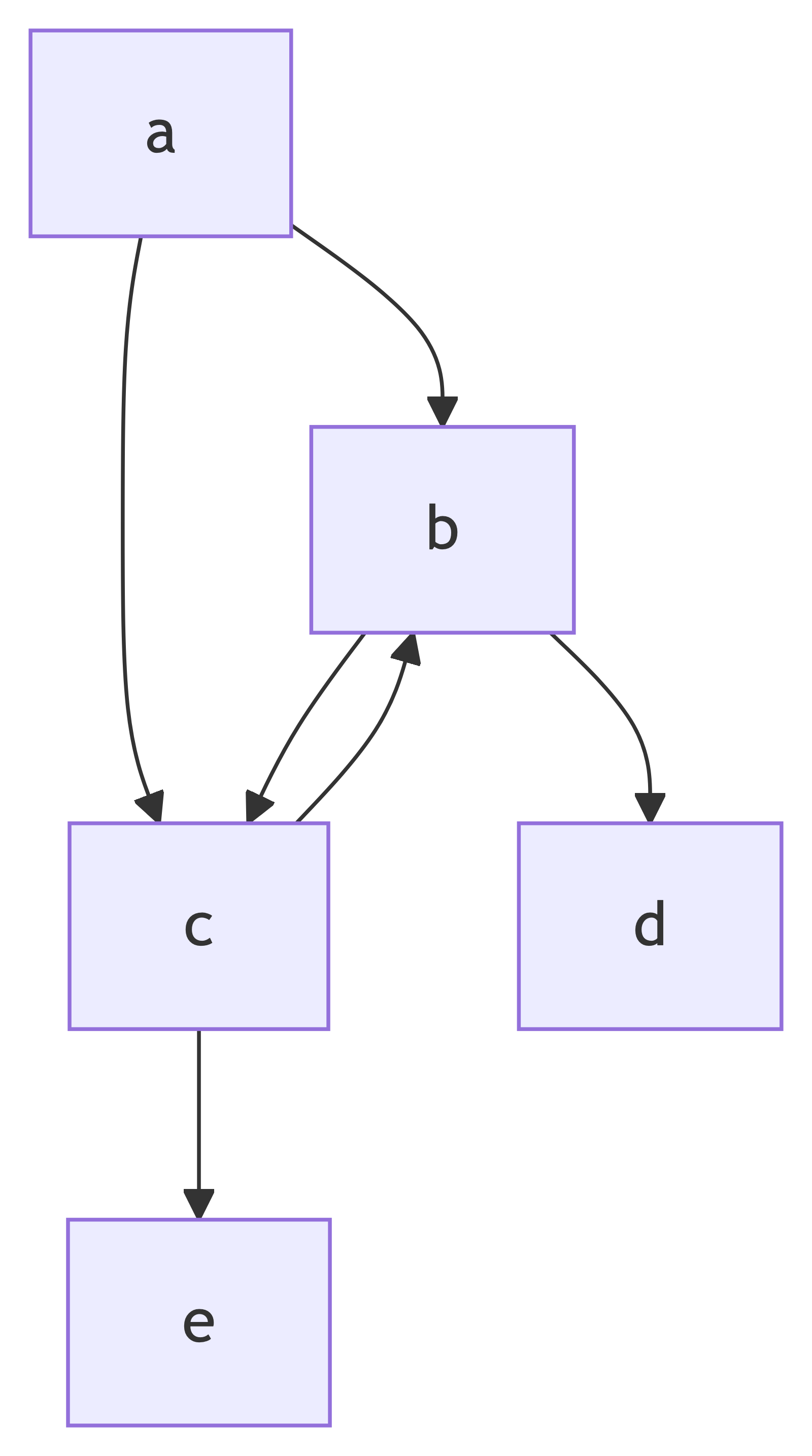
Fix 1 — check your link lengths
The largest alignment question on Stack Overflow, How to make the specified nodes horizontally aligned in Mermaid? (CC BY-SA), is a syntax trap. An extra hyphen in the link definition ---> (i.e. three hyphens) is documented as span at least two ranks. Change it to --> and stock Mermaid lines the specified nodes up as wanted.
graph TB
    aaa ---> bbb ---> ddd & ccc
    ddd -.-> fff
    ccc --->|eee| fff
    fff ---> hhh & ggg & kkk
    hhh --->|iii| mmm
    ggg & kkk -.-> mmm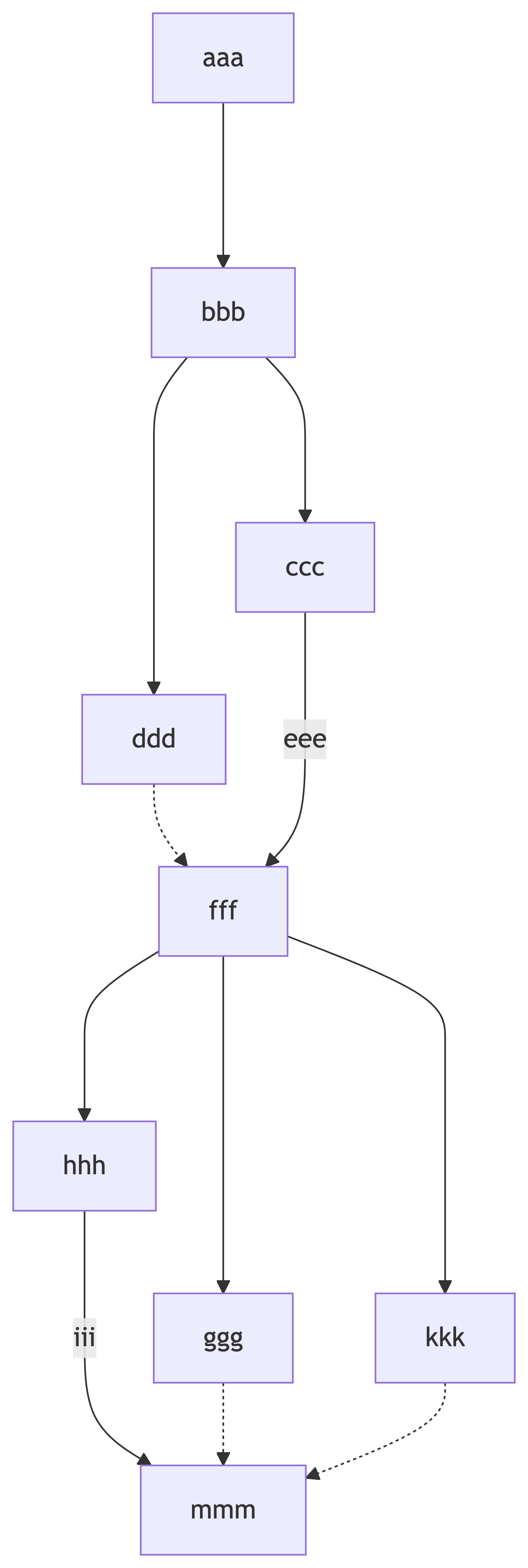
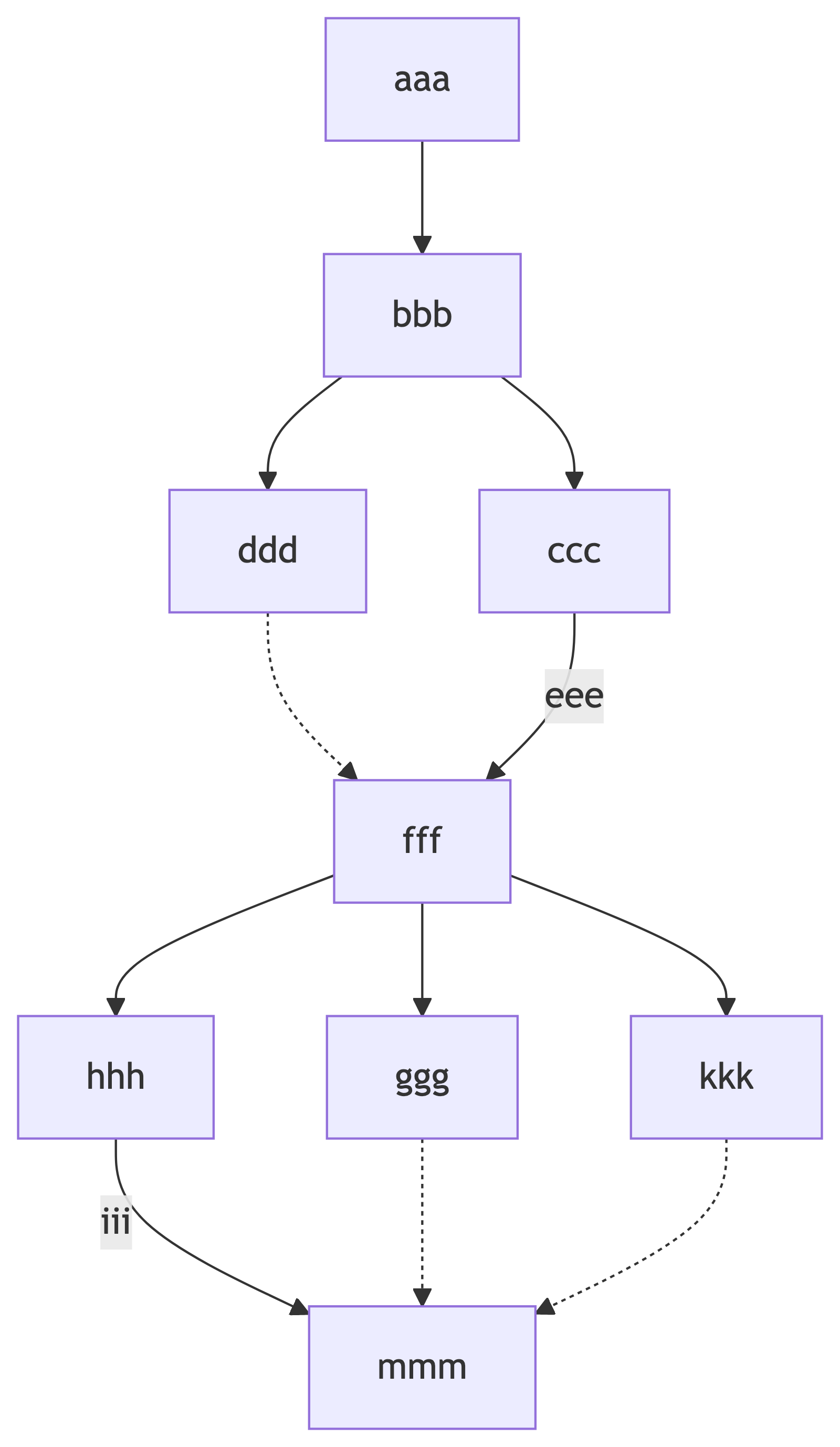
---> to -->Fix 2 and 3 — invisible links and subgraphs, and where they stop
On mermaid GitHub issue #3723, extra dashes do not help: the request is for a shared rank, not a longer span. Two other layout hints people try:
- Invisible links
A ~~~ Bcan tug placement without drawing a relationship. This can really move a node to a different position, but the effect is hard to predict and multiple other nodes can also be moved unexpectedly. - Wrapping nodes in a
subgraphkeeps them in a box. The box is an unwanted side-effect if you only wanted alignment.
Neither fixes #3723. The asker's own subgraph with direction LR fails to move b and c into a horizontal line because the direction instruction is ignored when nodes inside
the box have links to nodes outside it.
flowchart TD
  a --> b & c
  subgraph row
    direction LR
    b
    c
  end
  b --> d & c
  c --> e & b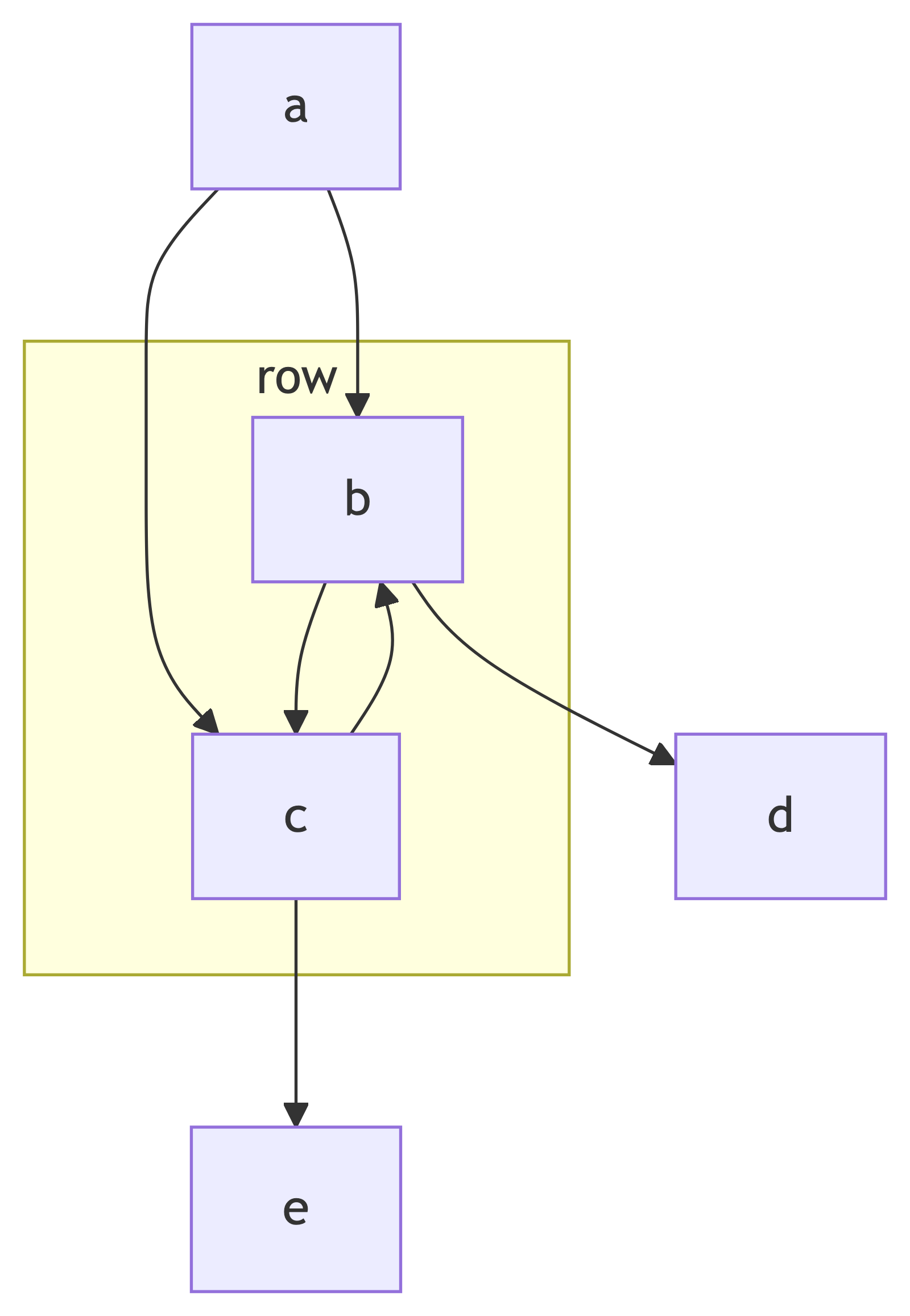
The same diagram, no edits
Paste the #3723 problem diagram source into Line9 and b and c are placed side by side on one row as desired. No extra dashes, invisible links or subgraph
are needed to get this better layout.
Line9 ignores link-length hints in Mermaid text. Instead, it lays the diagram out with its own new layout algorithm that optimizes for clear relationships between sibling nodes, amongst other things. However, you still can't dictate the position of nodes because the Mermaid syntax doesn't allow for this.
If an AI wrote the diagram
Agents are great at writing the logic – the text specification for a diagram in Mermaid syntax. However they're less able to visualize the picture clearly, so they don't use syntax tweaks that you might add manually to adjust a flowchart layout.
Give your agent the Line9 CLI and you'll get usable flowcharts without having to learning all of the Mermaid syntax for hinting at the layout you want.
See your own diagram with more nodes aligned
Open this diagram in the free online editor — or paste yours in place of it (no account necessary). For more details on using Line9 with Mermaid language, see Line9 vs mermaid.live.
Align nodes vertically (same column)
In a left-to-right flowchart the same complaint is observable when two nodes in a sibling
relationship are rendered in different columns. The CI/CD pipeline example diagram has Approve release and Fix and push as siblings of the same decision node. Both Line9 and stock Mermaid align them in a vertical
column as desired, but the Line9 version is neater because the nodes also have the same size.
Questions
- How do I align nodes on the same row in a Mermaid flowchart?
- The first thing to be clear about is that there is no prescriptive method for positioning nodes in a Mermaid flowchart. The Mermaid language deliberately doesn't have syntax for specific node positions. Layout of the flowchart is a job of the "rendering engine" (either the stock mermaid-js one or an alternative such as Line9) which only uses node relationships to determine layout. When using stock Mermaid you can give extra hints to mermaid-js to try to influence node positioning. Try adding longer edges by adding one or more hyphens '-' or dots '.' to your line definitions. Alternatively, try adding invisible joins between nodes using the '~~~' line syntax. Finally, normally as a last resort, perhaps introduce a subgraph grouping of nodes.
- Why does Mermaid put nodes on different levels?
- Levels determine vertical position in top-down orientation and horizontal position in left-right orientation. When using the stock mermaid-js renderer, either with dagre or ELK engines, each node's level is determined by the algorithm that processes the graph data, based primarily on the lines joining the nodes. The algorithm used in an engine is programmed to meet the engine's objectives and can't be modified significantly. To change the algorithm you need to change the rendering engine.
- Do extra dashes in Mermaid arrows change the layout?
- Yes, sometimes. In stock Mermaid ---> is documented as a longer link than --> and is there to let you hint that you want the linked node to have a longer line – to position the linked node in a lower level in the diagram. However, this may or may not result in the desired positioning, depending on the influence of other lines in the graph. In Line9, extra dashes do nothing. Line9 uses a complex set of objectives when laying out flowcharts and ignores some specialized layout hints that other engines use.
- Can I force two nodes onto the same rank in Mermaid?
- Position depends primarily on links between nodes, not on a separately assigned rank or level. There is no syntax for giving final node positions in the Mermaid language. Different rendering engines, such as Line9, can give you different, and often better, layouts than the stock mermaid-js or ELK rendering engines.
- Does Line9 align nodes without changing the Mermaid source?
- On the #3723 graph, yes for the pair that was asked about: b and c land on the same row. Line9 works with the canonical Mermaid source language and also, therefore, has no means of specifying final node positions. Nonetheless Line9 works much harder to improve the layout of flowchart graphs, using a large set of layout rules and refinements in its algorithms that often result in more readable and usable diagrams.
More Mermaid layout ideas and help is available at Mermaid flowchart layout. Diagram examples at Mermaid examples.